
Unlocking the Power of Presentation Features in Creating Electronic Presentations
Posted by SkillMaker in Jan, 2025
What is a concise description of presentation features when creating electronic presentations?

Presentation features when creating electronic presentations refer to the various tools and functionalities that enhance the effectiveness, clarity, and engagement of digital slideshows. These features include text formatting, layout design, use of multimedia elements like images, audio, and video, animations, transitions, and interactive components.
Why do people in enterprises need presentation features when creating electronic presentations?
In enterprises, the ability to create compelling electronic presentations is crucial for communicating ideas, pitching to clients, training staff, and reporting project outcomes. Utilising presentation features allows creators to deliver information more effectively, maintain audience engagement, and foster a professional image that supports organisational objectives.
“Embracing presentation features in electronic presentations transforms simple slides into powerful storytelling tools, capturing attention and conveying messages with clarity and impact.”
What are the key components or elements of presentation features in creating electronic presentations?
Key components include:
- Text and Typography: Font choices, sizes, colours, and spacing that enhance readability.
- Visual Design: Use of templates, colour schemes, and slide layouts for a cohesive look.
- Multimedia Elements: Integration of images, videos, and audio to support and enliven the content.
- Animations and Transitions: Dynamic effects that guide audience focus and improve flow.
- Interactivity: Hyperlinks, quizzes, and other interactive features to engage participants actively.
What key terms, with descriptions, relate to presentation features in creating electronic presentations?

Registered Trademark®
- Slide Master: A feature that allows users to create a consistent layout across slides.
- Transitions: Visual effects that occur when moving from one slide to another.
- Animations: Movements applied to slide elements for emphasis or storytelling.
- Infographics: Graphical representations of data to facilitate understanding.
- Hyperlinks: Clickable links that lead to websites or other slides within the presentation.
Who is typically engaged with operating or implementing presentation features in electronic presentations?
Business professionals including marketing teams, sales personnel, trainers, and project managers frequently utilise presentation features to craft engaging and informative slideshows. These roles often rely on presentations to convey complex information succinctly and persuasively.
How do presentation features align or integrate with other components of businesses in Australia?
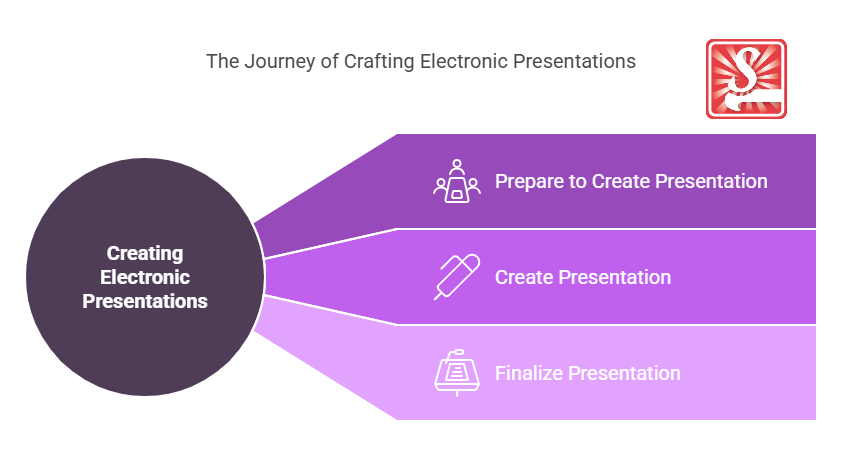
Presentation features align with business objectives by enhancing communication strategies across all levels. They integrate seamlessly with corporate branding efforts, facilitate training and development programs, and support sales initiatives through persuasive storytelling, ultimately contributing to achieving business goals.
Where can the student go to find out more information about presentation features in electronic presentations?
What job roles would be knowledgeable about presentation features in creating electronic presentations?
Roles include:
- Marketing Coordinators
- Sales Representatives
- Corporate Trainers
- Project Managers
- Communication Specialists
What are presentation features like in relation to sports, family, or schools?

In sports, presentation features could be likened to a coach’s strategy board, visually laying out plays and tactics to elevate team performance.
Within a family setting, they’re similar to a well-organised planner that keeps track of schedules and goals.
In schools, presentation features resemble an educator’s toolkit, aiding teachers in delivering lectures that capture the interest and understanding of students.
(The first edition of this post was generated by AI to provide affordable education and insights to a learner-hungry world. The author will edit, endorse, and update it with additional rich learning content.)
- About the Author
- More info

Workskill training for all

 Post Tagged with