
Presentation Issues When Creating Electronic Presentations
Posted by SkillMaker in Jan, 2025
What is a concise description of presentation issues when creating electronic presentations?

Presentation issues in electronic presentations refer to the various challenges and obstacles that can compromise the clarity, effectiveness, and professionalism of your presentation. These issues may arise from technical problems, design flaws, or content-related aspects, impacting the audience’s engagement and understanding.
Why do people in enterprises need to address presentation issues when creating electronic presentations?
Addressing presentation issues is crucial in enterprises because it ensures that the message is communicated clearly and effectively. Overcoming these issues helps maintain the organisation’s professional image, increases engagement, and ensures that the audience receives the intended information without distraction. Addressing these issues ultimately leads to improved decision-making and collaboration.
“Correcting presentation issues transforms a bland or problematic presentation into a polished, engaging tool that effectively communicates your message.”
What are the key components or elements of addressing presentation issues in electronic presentations?
Key components of addressing presentation issues include:
- Audience Analysis: Understanding audience needs and tailoring content accordingly.
- Technical Proficiency: Ensuring familiarity with presentation software capabilities.
- Design Consistency: Maintaining uniformity in fonts, colours, and layout.
- Content Clarity: Presenting information in a structured and concise manner.
- Hardware and Software Preparedness: Checking that all technology functions smoothly and is backed up.
What key terms, with descriptions, relate to presentation issues in electronic presentations?

Registered Trademark®
- Slide Deck: A collection of slides used in a presentation.
- Engagement: The level of interest and interaction your presentation elicits from the audience.
- Visual Hierarchy: The arrangement and organization of elements to show their order of importance.
- Template: A pre-designed layout that sets a baseline for creating presentation slides.
- A/V Equipment: Audio/Visual equipment used to deliver a presentation.
Who is typically engaged with operating or implementing solutions for presentation issues in electronic presentations?
Marketing professionals, corporate trainers, business managers, technical specialists, and IT support staff are typically engaged in managing and implementing solutions to presentation issues. These roles often work in tandem to ensure seamless delivery and engagement during presentations.
How do presentation issues relate or integrate with other components of businesses in Australia?
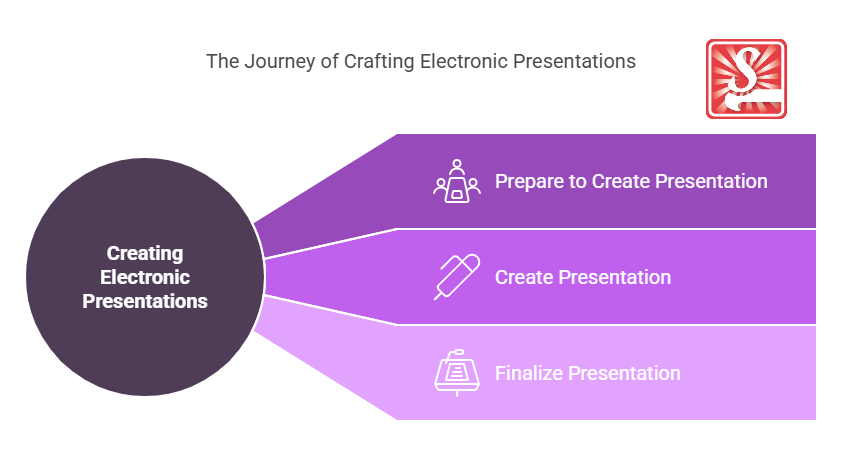
Presentation issues tie into business operations and communication strategies by impacting how effectively information is shared both internally and externally. In the diverse Australian business landscape, mastering presentation delivery is vital for successful pitches, stakeholder meetings, and collaborative team sessions.
Where can the student go to find out more information about presentation issues in electronic presentations?
What job roles would be knowledgeable about presentation issues in electronic presentations?
Roles include:
- Business Analysts
- Marketing Managers
- Public Relations Officers
- Sales Representatives
- Corporate Trainers
What are presentation issues like in relation to sports, family, or schools?

In sports, tackling presentation issues is like a coach adjusting strategies during a game to avoid confusion and maintain team focus.
In a family context, it’s akin to finding the right balance of communication where everyone understands their role and the information shared.
For schools, it aligns with teachers refining lesson delivery to capture student attention, ensuring educational goals are met without disruptions.
(The first edition of this post was generated by AI to provide affordable education and insights to a learner-hungry world. The author will edit, endorse, and update it with additional rich learning content.)
- About the Author
- More info

Workskill training for all

 Post Tagged with