
Style Requirements When Creating Electronic Presentations
Posted by SkillMaker in Jan, 2025
What is a concise description of style requirements when creating electronic presentations?

Style requirements when creating electronic presentations involve a set of guidelines that ensure clarity, consistency, and visual appeal. These requirements guide the design elements, such as fonts, colours, images, and layout, enhancing the audience’s engagement and understanding of the presented content.
Why do people in enterprises need style requirements when creating electronic presentations?
Enterprises need style requirements to maintain a professional image, foster brand consistency, and effectively convey information. A well-styled presentation ensures that messages are communicated clearly and efficiently, which is essential in meetings, proposals, and training sessions, ultimately boosting business impact.
“Adhering to style requirements in presentations enhances communication clarity and strengthens the brand’s professional image.”
What are the key components or elements of style requirements when creating electronic presentations?
Key components of style requirements when creating presentations include:
- Font Selection: Can affect readability and overall aesthetics.
- Colour Scheme: Ensuring contrast and brand alignment.
- Layout and Design: Consistent alignment and spacing.
- Use of Images and Graphics: Supporting visuals that complement content.
- Slide Transitions: Balanced animation effects for engagement.
What key terms, with descriptions, relate to style requirements when creating electronic presentations?

Registered Trademark®
- Typography: The art and technique of arranging type to make written language legible and visually appealing.
- Colour Theory: A body of practical guidance to colour mixing and the visual effects of specific colour combinations.
- Brand Guidelines: Rules that dictate how the visual elements of a brand should be represented.
- Infographics: Graphic visual representations of information intended to present information quickly and clearly.
- Slide Master: A feature that controls the overall look and feel of a presentation, ensuring consistency.
Who is typically engaged with operating or implementing style requirements when creating electronic presentations?
Marketing professionals, graphic designers, and corporate communications teams are typically responsible for implementing style requirements in presentations. They ensure that presentations align with the company’s branding and meet visual communication standards.
How do style requirements when creating electronic presentations align or integrate with other components of Businesses in Australia?
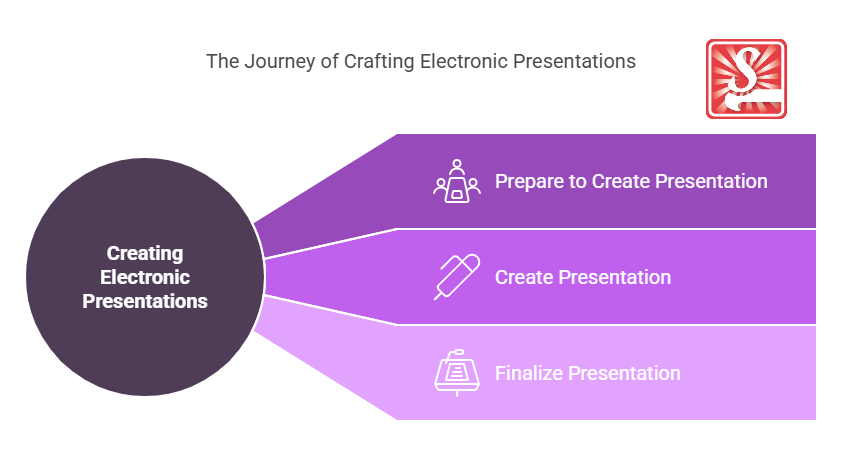
Style requirements in presentations align with marketing and branding strategies by ensuring all visual content supports the company’s identity. This integration bolsters marketing initiatives, customer engagement efforts, and corporate communication strategies.
Where can the student go to find out more information about style requirements when creating electronic presentations?
What job roles would be knowledgeable about style requirements when creating electronic presentations?
Roles include:
- Graphic Designers
- Marketing Professionals
- Public Relations Managers
- Corporate Trainers
- Brand Managers
What are style requirements when creating electronic presentations like in relation to sports, family, or schools?

In relation to sports, style requirements for presentations are akin to a team wearing coordinated uniforms to promote unity and professionalism.
In a family setting, it reflects decorating a home with a cohesive theme that is both functional and pleasing.
In schools, it resembles the school curriculum, which provides a consistent structure that guides educators and students through the educational journey effectively.
(The first edition of this post was generated by AI to provide affordable education and insights to a learner-hungry world. The author will edit, endorse, and update it with additional rich learning content.)
- About the Author
- More info

Workskill training for all

 Post Tagged with