
Keyboard Skills in the Printing and Graphic Arts Industry
Posted by SkillMaker in Mar, 2025
What is a concise description of keyboard procedures in the printing and graphic arts sectors?

Keyboard procedures encompass the use of keyboard shortcuts, touch typing, and efficient key combinations to enhance productivity in the printing and graphic arts sectors. These procedures ensure quick input, precise editing, and streamlined navigation across various digital platforms and software used within the industry.
Listen to this article as a podcast
Why do people in the Printing and Graphic Arts industry need keyboard procedures?
Keyboard procedures are crucial in the Printing and Graphic Arts industry for improving efficiency and reducing time spent on project tasks. Mastery of keyboard skills allows professionals to execute commands swiftly, make quick adjustments, and ensure seamless workflow integration—ultimately leading to increased productivity and quality of work.
“Proficiency in keyboard procedures empowers graphic professionals to work faster and smarter, cutting down project completion time while enhancing output quality.”
What are the key components or elements of keyboard procedures in the Printing and Graphic Arts industry?
Key components of keyboard procedures in this industry include:
- Touch Typing: The ability to type quickly and accurately without looking at the keyboard.
- Keyboard Shortcuts: Predefined key combinations that execute specific functions in software applications.
- Custom Macros: User-defined shortcuts tailored to specific tasks or sequences.
- Navigation Proficiency: Using keyboard commands to navigate applications efficiently.
- Error Reduction Techniques: Methods to minimize typing errors and ensure consistency in data entry.
What key terms, with descriptions, relate to keyboard procedures in the Printing and Graphic Arts industry?

Registered Trademark®
- Shortcut Keys: Specific key combinations that activate certain functions quickly.
- Keyboard Layout: The arrangement of keys, which can vary according to region or language.
- Macro: A sequence of actions executed through a single keystroke.
- Ergonomics: The design and arrangement of workplace tools for comfort and efficiency.
- Command Line Interface: A method of issuing text-based commands to a program.
Who is typically engaged with operating or implementing keyboard procedures in the Printing and Graphic Arts industry?
Graphic designers, printing technicians, digital artists, and layout artists are commonly engaged in employing keyboard procedures. These professionals rely on efficient keyboard use to manage tasks ranging from graphic design to editing and layout adjustment.
How do keyboard procedures align or integrate with other components of the Printing and Graphics industry in Australia?
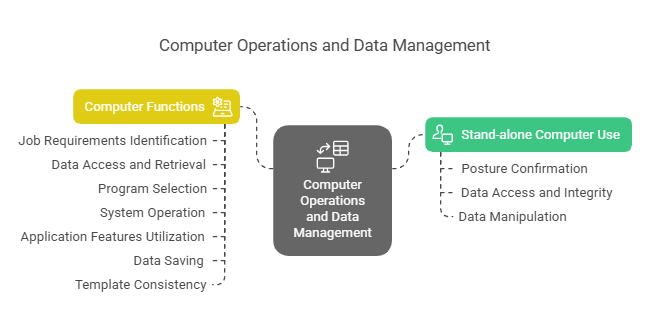
Keyboard procedures are integral to the workflow in the Printing and Graphics industry, facilitating smoother integration with design software, data management systems, and digital communication platforms. Mastery of these skills supports effective collaboration and enhances the capability to produce high-quality visual content quickly and accurately.
Where can the student go to find out more information about keyboard procedures in the Printing and Graphic Arts sector?
What job roles would be knowledgeable about keyboard procedures in the Printing and Graphic Arts industry?
Roles include:
- Graphic Designers
- Printing Technicians
- Digital Artists
- Layout Artists
- Prepress Operators
What are keyboard procedures like in relation to sports, family, or schools?

Mastering keyboard procedures is like an athlete honing their skills for peak performance, requiring discipline and practice. In a family setting, it’s akin to everyone contributing to a smooth-running household by executing their tasks efficiently. In schools, it reflects the importance of structured learning to build foundational skills that enable students to tackle complex challenges effectively.
(The first edition of this post was generated by AI to provide affordable education and insights to a learner-hungry world. The author will edit, endorse, and update it with additional rich learning content.)
(Skillmaker – 2025)- About the Author
- More info

Workskill training for all

 Post Tagged with