
Harnessing Technology: Using Computer Systems in the Printing and Graphic Arts Sectors
Posted by SkillMaker in Mar, 2025
What is a concise description of using computer systems in the printing and graphic arts sectors?

Using computer systems in the printing and graphic arts sectors involves the strategic integration of various technological tools to enhance design, prepress, and printing processes. This includes software for graphic design, layout, and image editing, as well as digital printing technology that streamlines production workflows and improves the quality of printed materials.
Listen to this article as a podcast
Why do people in the Printing and Graphics Industry need to use computer systems?
Individuals in the Printing and Graphics Industry need to use computer systems to remain competitive and meet modern demands for efficiency, precision, and creativity. Computer systems allow for quicker turnarounds, lower production costs, and enhance the visual appeal of printed materials. Furthermore, they enable seamless collaboration and digital file management, which is vital in today’s fast-paced industry.
“Adopting computer systems transforms traditional printing practices, offering unparalleled accuracy, speed, and innovation in the graphic arts.”
What are the key components or elements of using computer systems in this sector?
Key components of using computer systems in the printing and graphic arts sectors include:
- Graphic Design Software: Applications such as Adobe Illustrator and CorelDRAW for creating vector graphics.
- Image Editing Tools: Software like Adobe Photoshop for manipulating and retouching images.
- Layout Programs: Tools like Adobe InDesign to arrange and organize design elements.
- Prepress Systems: Techniques and software used to prepare digital files for printing.
- Digital Printing Technology: Equipment and systems that allow for direct printing from digital files.
What key terms, with descriptions, relate to using computer systems in the sector?

Registered Trademark®
- Vektorgrafik: A type of graphic composed of paths and points, allowing for infinite scaling.
- Rastergrafik: An image composed of pixels, suited for detailed and complex artwork.
- RIP (Raster Image Processor): Converts vector files to bitmaps for printing.
- CMYK: The color model used in color printing, encompassing cyan, magenta, yellow, and key (black).
- PDF/X: A file format standard for reliable digital printing.
Who is typically engaged with operating or implementing computer systems in this sector?
Graphic designers, prepress technicians, print operators, and IT specialists are typically engaged in operating or implementing computer systems in this sector. These professionals leverage technology to refine design elements, optimise printing processes, and ensure seamless production workflows.
How does the use of computer systems align or integrate with other components of the Printing and Graphics industry in Australia?
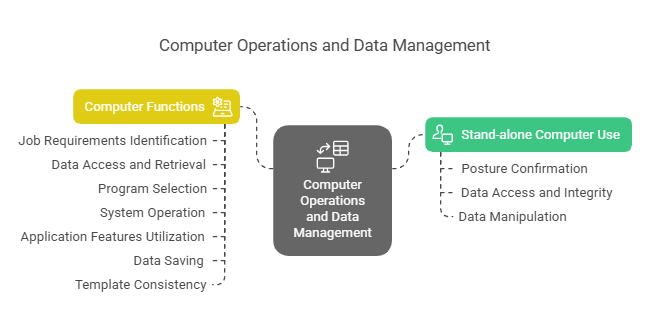
The use of computer systems in the graphic arts sector aligns with advancements in digital media, allowing for versatile cross-platform content creation. This integration enhances collaborative opportunities and caters to the demand for multi-channel campaigns in marketing and advertising, bolstering the industry’s position in the broader creative economy of Australia.
Where can the student go to find out more information about using computer systems in the sector?
What job roles would be knowledgeable about using computer systems in this sector?
Roles include:
- Graphic Designers
- Prepress Technicians
- Print Operators
- IT Specialists in Graphic Technology
- Digital Marketing Coordinators
How is using computer systems in the Printing and Graphics sector like in relation to sports, family, or schools?

Using computer systems in the printing and graphic arts sector is akin to a sports team utilizing state-of-the-art equipment and analytics software to enhance performance and precision. In a family setting, it is like having smart home devices that streamline chores and communication, making life more efficient and connected. Similarly, in schools, it parallels the integration of digital tools that foster interactive learning and collaboration among students and educators, ensuring a dynamic and engaging education experience.
(The first edition of this post was generated by AI to provide affordable education and insights to a learner-hungry world. The author will edit, endorse, and update it with additional rich learning content.)
(Skillmaker – 2025)- About the Author
- More info

Workskill training for all

 Post Tagged with