
Crafting Effective Electronic Presentations for Australian Enterprises
Posted by SkillMaker in Jan, 2025
What is a concise description of creating electronic presentations?

Creating electronic presentations involves designing and producing digital slide decks using software like Microsoft PowerPoint or Google Slides. These presentations incorporate text, images, videos, and animations to effectively convey information and engage audiences in business meetings, trainings, or conferences.
Why do people in enterprises need to create electronic presentations?
Enterprises require electronic presentations to communicate ideas clearly and efficiently. They are essential for delivering reports, pitches, and data analysis, facilitating team discussions, and providing training. Using presentations enhances understanding and retention, making meetings more productive and informative.
“Effective electronic presentations are an indispensable tool in business communication, ensuring clarity, engagement, and impact in conveying key messages.”
What are the key components of creating electronic presentations?
Key components of creating electronic presentations include:
- Content Planning: Outlining the presentation’s purpose and key points.
- Visual Design: Using themes, fonts, colours, and layouts to enhance aesthetics.
- Multimedia Integration: Incorporating images, videos, and sound for engagement.
- Slide Transitions and Animations: Adding movement to keep audience interest.
- Audience Consideration: Tailoring the content and delivery to the audience’s needs and comprehension levels.
What key terms, with descriptions, relate to creating electronic presentations?

Registered Trademark®
- Slide Layout: Arrangement of text and images on a slide.
- Template: Pre-designed presentation slides with a cohesive design.
- Transition: Visual effect when moving from one slide to another.
- Animation: Movement added to objects on slides for emphasis or engagement.
- Speaker Notes: Additional notes for the presenter to reference during the delivery.
Who is typically engaged with creating electronic presentations?
Roles engaged with creating electronic presentations include managers, sales personnel, trainers, project leads, and IT specialists. These individuals often create presentations to convey information, report progress, or educate stakeholders within their enterprises.
How does creating electronic presentations align or integrate with other components of Businesses in Australia?
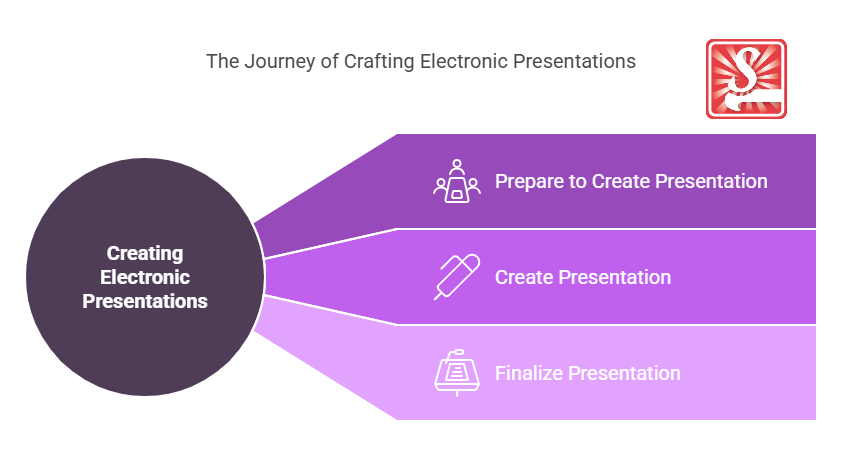
Creating electronic presentations aligns tightly with business communication strategies and integrates with project management, marketing efforts, and operational decision-making. Presentations convey critical insights, data visualisations, and strategic information, acting as a foundation for meetings and stakeholder engagement.
Where can students go to find out more information about creating electronic presentations?
What job roles would be knowledgeable about creating electronic presentations?
Roles knowledgeable about creating electronic presentations include:
- Business Analysts
- Marketing Managers
- Sales Executives
- Trainers and Educators
- IT Consultants
What is creating electronic presentations like in relation to sports, family, or schools?

In sports, creating electronic presentations is akin to a coach preparing a strategy session with visual aids to illustrate plays and tactics.
For families, it resembles organising a family event and using slideshows to narrate and share memories.
In schools, it parallels a teacher crafting engaging lessons with visual elements to support student learning and interaction.
(The first edition of this post was generated by AI to provide affordable education and insights to a learner-hungry world. The author will edit, endorse, and update it with additional rich learning content.)
- About the Author
- More info

Workskill training for all

 Post Tagged with