
Transferring Data in Printing and Graphic Arts Systems
Posted by SkillMaker in Mar, 2025
What is a concise description of transferring data in the printing and graphic arts sectors?

Transferring data in the printing and graphic arts sectors involves the processes and systems used to exchange digital files, images, and information critical to producing high-quality printed and digital works. This ensures that designs retain their integrity and quality from screen to the final product.
Listen to this article as a podcast
Why do people in the Printing and Graphics industry need to transfer data?
Professionals in the printing and graphics industry need to transfer data in order to collaborate effectively, ensure colour accuracy, and meet client specifications and deadlines. Proper data transfer reduces the risk of errors, ensures consistency across different media, and supports the integration of innovative technologies that improve efficiency and quality.
“Effective data transfer is crucial for ensuring consistency and quality, akin to a relay team passing the baton seamlessly to reach the finish line.”
What are the key components or elements of transferring data in the Printing and Graphics industry?
Key components of transferring data include:
- File Formats: Commonly used formats such as PDF, TIFF, and JPEG that maintain image quality.
- File Transfer Protocols (FTP): Methods for sending large files securely over the internet.
- Colour Management Systems: Ensuring colour consistency across devices and media.
- Data Backup: Regularly saving copies to prevent loss.
- Networking Systems: Wired or wireless systems used for sharing and transferring data.
What key terms, with descriptions, relate to transferring data in the Printing and Graphics industry?

Registered Trademark®
- Workflow: The sequence of processes through which data is transferred from client to final output.
- Gamut: The complete range of colour that can be reproduced on a device or media.
- Proofing: Creating a sample to review before final printing to ensure accuracy.
- Cloud Storage: Online platforms for storing and accessing files remotely.
- Metadata: Information about other data, crucial for archival and retrieval processes.
Who is typically engaged with operating or implementing data transfer systems?
Graphic designers, prepress technicians, IT specialists, and production managers are typically responsible for managing data transfer. Each role ensures that the integrity and quality of data are maintained from design concept through to production and distribution.
How does transferring data integrate with other components of the Printing and Graphics industry in Australia?
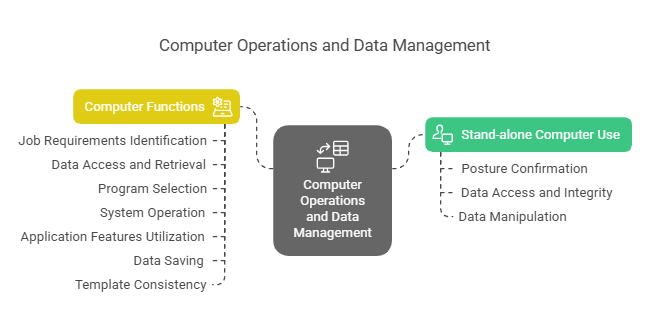
Data transfer is a fundamental part of a seamless workflow in the Printing and Graphics industry, aligning with pre-press processes, print production, and finishing. It ensures that designs maintain their quality from creation through to final output, integrating with production planning and quality control to optimize project delivery.
Where can the student go to find out more information about transferring data in the Printing and Graphics sectors?
What job roles would be knowledgeable about transferring data in the Printing and Graphics industry?
Roles include:
- Graphic Designers
- Prepress Technicians
- IT Specialists
- Production Managers
- Quality Assurance Officers
What is data transfer like in relation to sports, family, or schools?

Data transfer in relation to sports is like passing the baton in a relay race, where timing, precision, and communication are key to success. In a family context, it’s similar to sharing household information among members to ensure everyone is on the same page. In schools, data transfer resembles the way assignments and resources are shared between teachers and students to facilitate learning and continuity.
(The first edition of this post was generated by AI to provide affordable education and insights to a learner-hungry world. The author will edit, endorse, and update it with additional rich learning content.)
(Skillmaker – 2025)- About the Author
- More info

Workskill training for all

 Post Tagged with