
Crafting Purposeful Electronic Presentations for Enterprises
Posted by SkillMaker in Jan, 2025
What is a concise description of crafting purposeful electronic presentations for enterprises?

Crafting purposeful electronic presentations involves designing and arranging digital slides or visuals to effectively communicate ideas, information, or proposals to a particular audience. This process aims to ensure clarity, engagement, and impact in business settings by combining visual elements, narrative structure, and technical tools.
Why do people in enterprises need purposeful electronic presentations?
Purposeful electronic presentations are vital for enterprises because they help in clearly conveying complex data and strategies to stakeholders, colleagues, or clients. These presentations can enhance understanding, facilitate decision-making, inspire action, and promote engagement across various business functions. Moreover, they contribute to a company’s professional image and can drive success in meetings, sales pitches, and training sessions.
“Effective electronic presentations are crucial in bridging communication gaps, fostering collaboration, and ensuring transparency within enterprises.”
What are the key components or elements of electronic presentations?
Key components of electronic presentations include:
- Clear Structure: Logical sequence and flow of information.
- Engaging Content: Relevant, concise, and captivating text and visuals.
- Visual Design: Cohesive colour schemes, fonts, and imagery.
- Technical Tools: Utilization of software features like animations or transitions.
- Practice and Delivery: Rehearsing to ensure smooth and confident presentation.
What key terms, with descriptions, relate to electronic presentations?

Registered Trademark®
- Slide Deck: A collection of slides used as a presentation tool.
- Storyboard: A planning tool for organizing the sequence of content.
- Transitions: Animated effects used to move between slides.
- Animations: Effects applied to slide elements to add dynamism.
- Templates: Pre-designed slide layouts for consistent formatting.
Who is typically engaged with operating or implementing purposeful electronic presentations?
Individuals typically involved in creating or delivering electronic presentations include marketing professionals, sales teams, project managers, trainers, and executives. These roles often require proficiency in presentation skills to effectively communicate important information to diverse audiences within and outside the organization.
How do electronic presentations align or integrate with other components of Businesses in Australia?
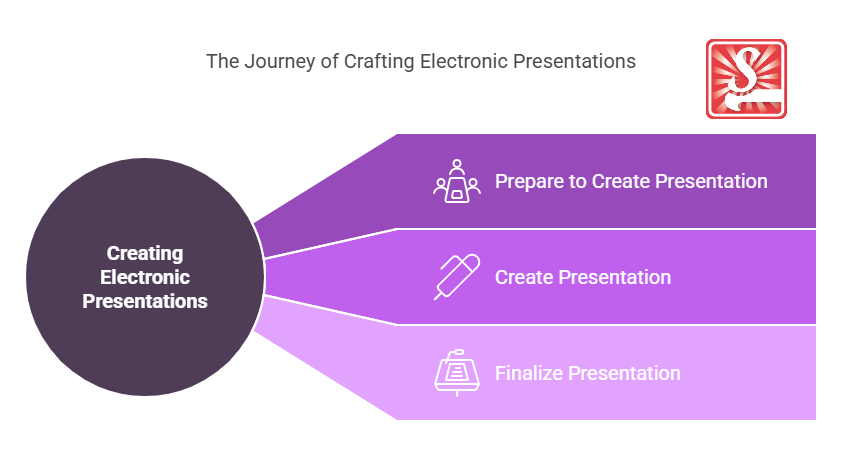
Electronic presentations integrate with business strategies by supporting communication during meetings, stakeholder briefings, and training sessions. They connect with marketing through pitch decks, influence sales via product presentations, and align with HR during onboarding processes, thereby enriching the overall functioning and connectivity within businesses.
Where can the student go to find out more information about electronic presentations?
What job roles would be knowledgeable about electronic presentations?
Roles include:
- Marketing Specialists
- Sales Representatives
- Project Leads
- Training Coordinators
- Business Analysts
What is creating purposeful electronic presentations like in relation to sports, family, or schools?

In relation to sports, creating electronic presentations is like a coach devising a game plan that combines statistics, strategies, and motivation for the team.
In a family context, it resembles organising a family gathering where slideshows capture memories and achievements.
In schools, presenting electronically echoes teachers preparing lessons, using visuals and interactivity to enhance learning and engagement for students.
(The first edition of this post was generated by AI to provide affordable education and insights to a learner-hungry world. The author will edit, endorse, and update it with additional rich learning content.)
- About the Author
- More info

Workskill training for all

 Post Tagged with