
Creating Electronic Presentations in the Personal Work Environment
Posted by SkillMaker in Jan, 2025
What is a concise description of a personal work environment when creating electronic presentations?

A personal work environment for creating electronic presentations is the individual workspace and technological setup where a person designs and develops digital slides or decks to communicate information effectively. This space typically includes a computer, appropriate software, and resources that facilitate the presentation creation process.
Why do people in enterprises need an effective personal work environment for creating electronic presentations?
Enterprises rely on effective personal work environments to boost productivity, creativity, and efficiency when creating electronic presentations. A well-organised space helps individuals concentrate better, reduces distractions, and ensures they have all the necessary tools at hand to produce high-quality presentations that can engage audiences and effectively convey messages or information.
“Crafting impactful electronic presentations starts with a well-designed personal work environment, which fosters focus, inspiration, and creativity.”
What are the key components or elements of a personal work environment when creating electronic presentations?
The key components of a personal work environment for creating electronic presentations include:
- Ergonomic Setup: Comfortable seating and desk arrangement to prevent strain and fatigue.
- Computer and Software: A reliable computer with updated software for presentation design.
- Resource Organisation: Easy access to files, data, and reference materials.
- Lighting and Noise Control: Adequate lighting and minimal noise for concentration.
- Inspiration Board: Space for creative ideas and examples to enhance presentations.
What key terms, with descriptions, relate to creating electronic presentations in the personal work environment?

Registered Trademark®
- Slide Deck: A collection of slides collectively used in a presentation.
- Presentation Software: Tools such as PowerPoint, Keynote, or Google Slides used to create presentations.
- Storyboard: A visual outline of the presentation’s content and flow.
- Design Templates: Pre-existing designs and layouts used to standardise and enhance presentations.
- Multimedia Elements: Use of images, videos, and audio to make presentations engaging.
Who is typically engaged with operating or implementing an effective personal work environment for creating electronic presentations?
People engaged in creating presentations include marketing professionals, corporate trainers, educators, and administrative staff. These roles require producing engaging content that communicates effectively with various audiences, necessitating a personal work environment conducive to concentration and creativity.
How does the personal work environment for creating electronic presentations align or integrate with other components of Businesses in Australia?
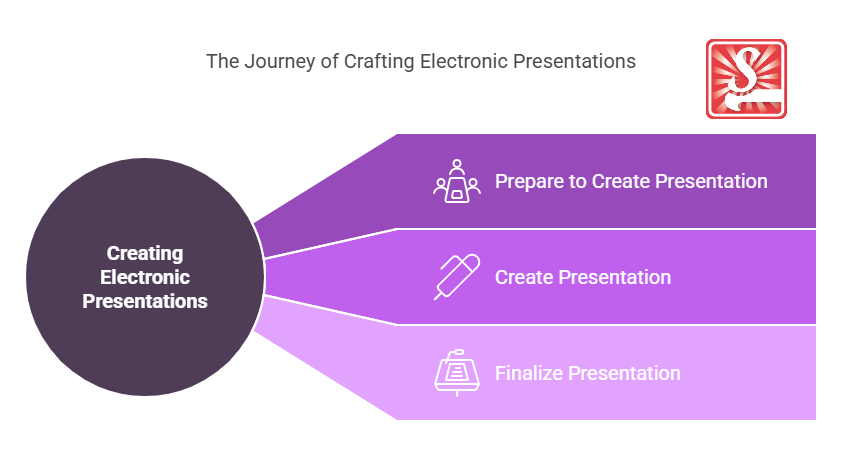
A personal work environment for creating electronic presentations closely aligns with the broader business infrastructure by enhancing productivity, promoting effective communication, and supporting strategic objectives. Businesses in Australia that prioritise efficient workspace setups for presentation creation empower employees to deliver compelling content and maintain a competitive edge in communication and collaboration.
Where can the student go to find out more information about creating electronic presentations in the personal work environment?
- Best Presentation Software for 2023
- Australian Business Services
- Training Articles on Presentation Skills
- Skillmaker
What job roles would be knowledgeable about creating electronic presentations in the personal work environment?
Roles include:
- Marketing Coordinators
- Corporate Trainers
- Business Analysts
- Administrative Assistants
- Graphic Designers
What is creating electronic presentations in the personal work environment like in relation to sports, family, or schools?

In sports, having a personal work environment for presentations is similar to athletes preparing in their optimized training spaces to ensure optimal performance during competitions.
In a family setting, it is like setting up a designated study area where family members can focus and work on their individual tasks without interruptions.
In schools, it mirrors a student personalizing their learning space to organise study materials for better academic performance.
(The first edition of this post was generated by AI to provide affordable education and insights to a learner-hungry world. The author will edit, endorse, and update it with additional rich learning content.)
- About the Author
- More info

Workskill training for all

 Post Tagged with