
Standalone Computers in the Printing and Graphic Arts Sectors
Posted by SkillMaker in Mar, 2025
What is a concise description of standalone computers in the printing and graphic arts sectors?

A standalone computer in the printing and graphic arts sectors refers to a computer system that operates independently, without requiring any network connection to perform tasks. These systems are utilized for specific functions such as design creation, file processing, and printing management. Standalone computers ensure that critical processes are undertaken without the risk of network-related disruptions.
Listen to this article as a podcast
Why do people in the Printing and Graphics industry need standalone computers?
In the printing and graphic arts industry, reliability and precision are critical. Standalone computers offer robust performance tailored to specific tasks, ensuring designers can work uninterrupted by network failures. These computers can handle high-performance graphic design software, monitor print jobs, and manage colour calibration precisely, leading to higher-quality output and satisfied clients.
“Standalone computers provide stability and control, essential for complex tasks in the printing and graphic arts sectors.”
What are the key components or elements of standalone computers?
Key components of standalone computers include:
- Processor (CPU): High-speed processing for complex graphic tasks.
- Graphics Card: Dedicated hardware for rendering images and videos accurately.
- Memory (RAM): Adequate storage to multitask without delays.
- Storage: Sufficient hard drive or SSD space for graphic files and software.
- Operating System: Compatible systems that support necessary software.
- Peripherals: High-resolution monitors, colour calibration tools, and input devices.
What key terms, with descriptions, relate to standalone computers in the printing and graphic arts sectors?

Registered Trademark®
- Workstation: A high-performance computer designed for technical and scientific applications.
- Raster Image Processing (RIP): Converts vector images to raster, suitable for printing.
- Colour Management System (CMS): Ensures consistent colour output across various devices.
- Font Management: Organizes and uses typefaces effectively in design projects.
- File Formats: Various digital formats used in design like PDF, TIFF, and EPS.
Who is typically engaged with operating or implementing standalone computers?
Graphic designers, prepress technicians, and print operators typically engage with standalone computers. They are responsible for creating designs, preparing files for printing, and ensuring that the final products meet industry standards through optimised computer systems.
How does the use of standalone computers align or integrate with other components of the Printing and Graphics industry in Australia?
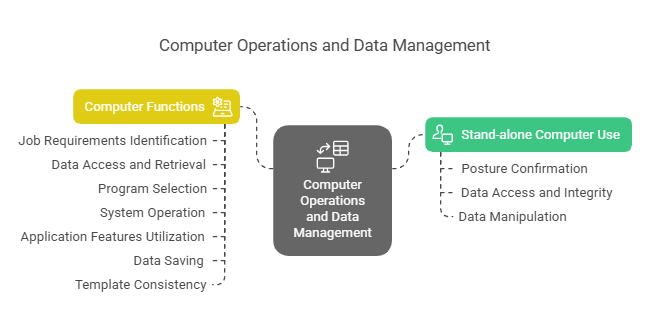
Standalone computers are integrated into the broader workflow of the printing and graphics industry by acting as reliable nodes in the design and prepress phases. They work alongside network-based systems for production management and logistical roles, providing a stable platform for the creative processes and the preparation stages of print production.
Where can the student go to find out more information about standalone computers in the printing and graphic arts sectors?
What job roles would be knowledgeable about standalone computers in the printing and graphic arts sectors?
Roles include:
- Graphic Designers
- Prepress Technicians
- Print Operators
- IT Support Specialists
- Print Production Managers
What is the use of standalone computers in relation to sports, family, or schools?

In relation to sports, using standalone computers is like a star athlete focusing solely on personal training without external distractions, ensuring optimal performance. For families, it’s akin to a quiet at-home dinner, away from the hustle and bustle, providing a controlled environment for nurturing growth. In schools, it mirrors focused, independent study sessions where students delve deeply into subjects, away from the distractions of a bustling classroom setting.
(The first edition of this post was generated by AI to provide affordable education and insights to a learner-hungry world. The author will edit, endorse, and update it with additional rich learning content.)
(Skillmaker – 2025)- About the Author
- More info

Workskill training for all

 Post Tagged with