
Mouse and Keyboard Functions in Printing and Graphic Arts
Posted by SkillMaker in Mar, 2025
What is a concise description of mouse and keyboard functions when using computer systems in the printing and graphic arts sectors?

Mouse and keyboard functions are fundamental tools in the printing and graphic arts sectors, enabling the precise manipulation of digital content. They facilitate navigation, input, and command execution in software applications, crucial for graphic design, layout creation, and interactive media development. Mastery of these tools ensures efficiency and accuracy in design processes.
Listen to this article as a podcast
Why do people in the Printing and Graphics industry need mouse and keyboard functions?
Proficiency with mouse and keyboard functions is essential for professionals in the printing and graphics industry to achieve precision and flexibility in design tasks. These functions facilitate detailed editing, layout adjustments, and navigation through complex software, enhancing productivity and enabling creative exploration. This results in higher quality outputs and greater creative control.
“Mastering mouse and keyboard functions is akin to gaining fluency in the language of design software, allowing artists to express their creativity effortlessly.”
What are the key components or elements of mouse and keyboard functions in this industry?
Key components of mouse and keyboard functions include:
- Click and Drag: For selecting and moving objects on screen.
- Shortcut Keys: Keyboard combinations that execute specific functions quickly.
- Scroll Functionality: To navigate through documents or webpages.
- Precision Control: Adjusting settings with high accuracy using mouse sensitivity.
- Context Menus: Accessing right-click options for additional commands.
What key terms, with descriptions, relate to mouse and keyboard functions in this sector?

Registered Trademark®
- Hotkeys: Predefined key combinations for efficient usage of software.
- Macro: A single instruction triggering sequences of commands for repetitive tasks.
- Soft Keys: Programmable keys that perform different functions as specified by the user.
- User Interface (UI): How a user interacts with a computer system, involving mouse and keyboard use.
Who is typically engaged with operating or implementing mouse and keyboard functions in this sector?
Graphic designers, layout artists, art directors, and prepress technicians frequently engage with mouse and keyboard functions. They use these tools to create and edit artwork, manage design layouts, and ensure that digital files are ready for printing.
How does this topic align or integrate with other components of the Printing and Graphics industry in Australia?
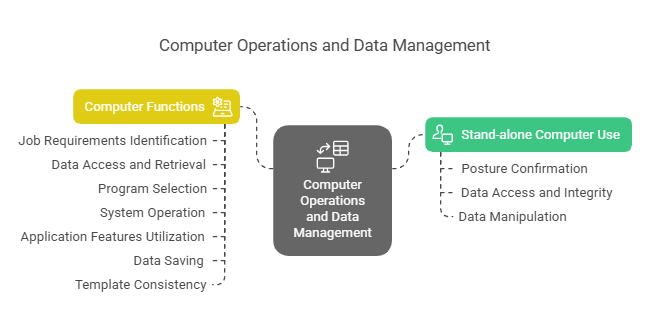
Mouse and keyboard functions are integral to design software, digital printing technologies, and workflow management systems. In the printing and graphics industry, seamless interaction with these systems supports file preparation, proofing, and quality control, enhancing the overall efficiency and output quality of the sector.
Where can the student go to find out more information about mouse and keyboard functions in the Printing and Graphics industry?
What job roles would be knowledgeable about mouse and keyboard functions in this industry?
Roles include:
- Graphic Designers
- Layout Artists
- Prepress Technicians
- Art Directors
- Print Production Managers
What are mouse and keyboard functions like in relation to sports, family, or schools?

Using mouse and keyboard functions in the industry can be compared to the precision and coordination in sports where athletes need to master their equipment. In a family setting, it’s akin to effective communication where everyone needs to understand and execute roles smoothly to function correctly. In schools, it reflects practice and repetition to master a skill, similar to typing classes where students learn efficient keyboard use.
(The first edition of this post was generated by AI to provide affordable education and insights to a learner-hungry world. The author will edit, endorse, and update it with additional rich learning content.)
(Skillmaker – 2025)- About the Author
- More info

Workskill training for all

 Post Tagged with