
Master Pages: Streamlining Design in Printing and Graphic Arts
Posted by SkillMaker in Mar, 2025
What is a concise description of master pages when using computer systems in the printing and graphic arts sectors?

Master pages are templates used in desktop publishing and graphic design software to maintain consistency in design projects. They allow designers to set and apply layouts, styles, and elements across multiple pages, streamlining the design process and ensuring uniformity in multi-page documents.
Listen to this article as a podcast
Why do people in the Printing and Graphics industry need master pages when using computer systems?
Professionals in the Printing and Graphics industry need master pages to enhance workflow efficiency and maintain design consistency. By setting up a master page with all necessary design components such as margins, headers, footers, and repeating graphics, designers can focus on the creative aspects of their work, knowing the foundational layout is taken care of. This reduces errors, saves time, and upholds brand standards across various publications.
“Master pages are the blueprint for consistent and efficient design, forming the backbone of multi-page publications in the printing and graphic arts sectors.”
What are the key components or elements of master pages when using computer systems in the printing and graphic arts sectors?
Key components of master pages include:
- Layout Grids: Pre-defined columns, rows, and margins guiding content placement.
- Repeat Elements: Elements like logos, headers, and footers that appear on every page.
- Text Style and Formatting: Consistent font choices and style guides for textual components.
- Backgrounds: Consistent background colors or images.
- Page Numbering: Automated numbering for multi-page documents.
What key terms, with descriptions, relate to master pages in the printing and graphic arts sectors?

Registered Trademark®
- Template: A preset format or layout for a document or graphic project.
- Style Sheet: Document defining text styles and formatting throughout a publication.
- Footer/Header: Sections at the top/bottom of a page typically used for dates, titles, or page numbers.
- Override: The action of changing elements set by a master page on a specific page when necessary.
- Linked Elements: Graphics or text blocks that are consistent across multiple documents when linked to a master page.
Who is typically engaged with operating or implementing master pages when using computer systems in the printing and graphic arts sectors?
Designers, pre-press technicians, and layout artists are typically responsible for implementing and managing master pages in the printing and graphic arts sectors. These professionals use master pages to ensure cohesive and standardized design elements across multiple publications or products.
How do master pages align or integrate with other components of the Printing and Graphics industry in Australia?
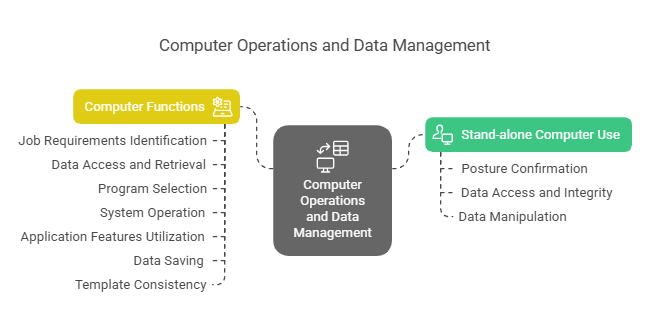
Master pages integrate with other design elements and processes such as branding, typography, and colour management. By providing a consistent structure, they allow designers to focus on creative aspects while ensuring that all other components align seamlessly with the overall design goals. Master pages contribute to a unified visual identity in printed materials, enhancing the clarity and professionalism of the finished product.
Where can the student go to find out more information about master pages when using computer systems in the printing and graphic arts sectors?
What job roles would be knowledgeable about master pages when using computer systems in the printing and graphic arts sectors?
Roles include:
- Graphic Designers
- Pre-Press Technicians
- Layout Artists
- Publication Editors
- Art Directors
What are master pages like in relation to sports, family, or schools?

In relation to sports, master pages are like a team’s playbook, establishing consistent strategies for success. In a family context, they resemble consistent routines that keep a household running smoothly. In schools, master pages are akin to syllabi that outline a standard framework while allowing room for tailored educational experiences.
(The first edition of this post was generated by AI to provide affordable education and insights to a learner-hungry world. The author will edit, endorse, and update it with additional rich learning content.)
(Skillmaker – 2025)- About the Author
- More info

Workskill training for all

 Post Tagged with