
Enhancing Presentation Skills in Australian Enterprises
Posted by SkillMaker in Jan, 2025
What is a concise description of help functions in creating electronic presentations?

Help functions in creating electronic presentations refer to the various tools and resources available within presentation software that assist users in designing, formatting, and enhancing their slides effectively. These functions facilitate the creation process by providing templates, guidelines, tips, and troubleshooting options, ensuring a seamless presentation development experience.
Why do people in enterprises need help functions when creating electronic presentations?
People in enterprises rely on help functions to streamline the presentation creation process, ensuring efficiency and professionalism. These functions guide users in utilising best practices for design, layout, and information presentation, reducing the potential for errors and enhancing the overall quality and impact of the presentation, which is vital for effective communication with stakeholders.
“Utilising help functions in presentation software empowers users to create impactful and professional presentations efficiently, enhancing communication across the enterprise.”
What are the key components or elements of help functions in electronic presentations?
Key components of help functions in electronic presentations include:
- Templates: Pre-designed slide layouts for quick setup.
- Design Tips: Suggestions for improving visual appeal and clarity.
- Formatting Guides: Instructions for consistent text and image placement.
- Troubleshooting Advice: Solutions for common software issues.
- Accessibility Features: Options for making presentations accessible to all audiences.
What key terms, with descriptions, relate to help functions in electronic presentations?

Registered Trademark®
- User Interface (UI): The layout through which users interact with the presentation software.
- Slide Master: Controls the overall appearance of all slides.
- Animation Pane: Manages animations and transitions between slides.
- Reference Tools: Built-in guides or tutorials within the software.
- Collaborative Features: Allow multiple users to work on a presentation simultaneously.
Who is typically engaged with operating or implementing help functions in electronic presentations?
IT specialists, presentation designers, business analysts, and marketing professionals often engage with help functions when working on electronic presentations. These roles utilise help features to enhance presentation effectiveness and ensure alignment with organisational standards and branding.
How do help functions in electronic presentations align or integrate with other components of Businesses in Australia?
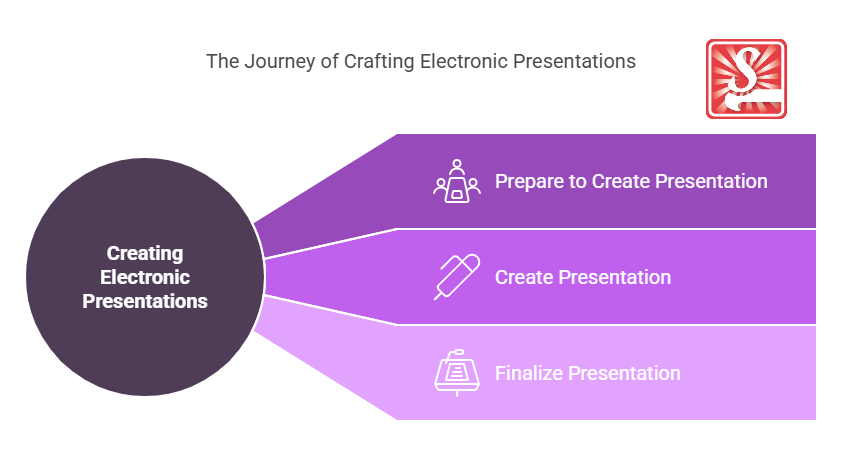
Help functions in electronic presentations integrate with enterprise communication strategies by ensuring presentations are uniform, professional, and accessible. They support knowledge sharing and collaboration initiatives, aligning with organisational goals such as client engagement, training, and internal reporting.
Where can the student go to find out more information about help functions in electronic presentations?
What job roles would be knowledgeable about help functions in electronic presentations?
Roles include:
- Presentation Designers
- Marketing Specialists
- Business Analysts
- IT Support Staff
- Corporate Trainers
What are help functions in electronic presentations like in relation to sports, family, or schools?

In relation to sports, help functions in presentations act like a coach providing strategies, drills, and feedback to enhance performance. In a family context, these functions are akin to family members collaborating and guiding each other for successful projects. For schools, help functions work as tutors or teaching assistants, offering resources and strategies to support student learning and achievement.
(The first edition of this post was generated by AI to provide affordable education and insights to a learner-hungry world. The author will edit, endorse, and update it with additional rich learning content.)
- About the Author
- More info

Workskill training for all

 Post Tagged with